
Welcome to
Alberto Villoldo - Wheels of Light Affiliate Program!
Here you will find all the information you need to start promoting the program.
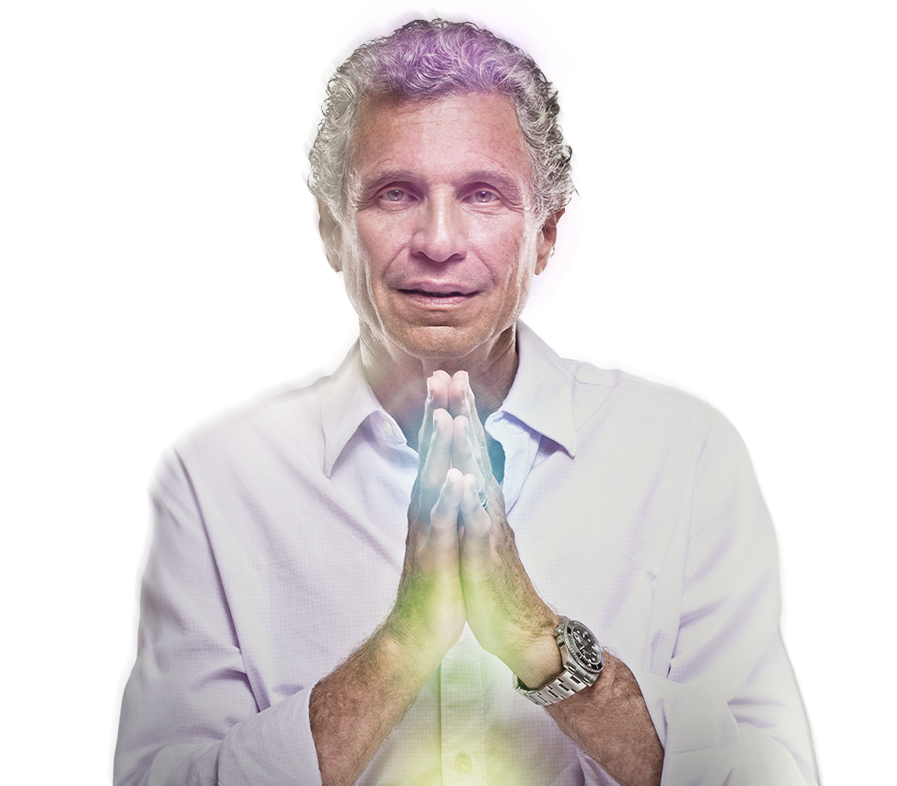
Alberto Villoldo
How can I start promoting Alberto Villoldo's course?

1. Download the materials
Download the images and prepared texts from the page here

2. Register and Create your UTM links
Register on ablefy (formerly known as elopage) as a publisher: elopage.com
Create your UTM links and send them to country@younity.one . (Important!)
3. Start promoting!
Share your social media posts and emails with your subscribers!
Important: Please only use UTM links created in ablefy (formerly known as elopage), otherwise we will not be able to track your subscriptions or sales.
Watch the explanatory video
Graphics
Download the graphics here that you can use in your promotions.
Text templates
Download here the email and social media content templates that you can use in your promotions.

Download the brochure
Download the brochure of Speaker's course here.
Frequently Asked Questions
Cookies track all users who participate in the free program using the UTM link, and if they purchase the paid material, you will automatically receive a commission for the purchase through ablefy (formerly known as elopage).
Only after participating in the free product, there is no commission.
If you do not yet have an Elopage Publisher account, you can create one by clicking on the invitation to theablefy (formerly known as elopage)affiliate program and selecting the yellow button 'Sign up as a publisher'. Fill in your information on the 'Publishers' tab.
After you have successfully created your account, please accept again
to appear in your ablefy (formerly known as elopage) account.
If you want to watch the explanatory video on creating an ablefy (formerly known as elopage) account, click here.
How to Create a UTM link:
UTM link allows you to track trackable links on your optin/sales pages. Through these links, we can automatically track the traffic that came through your promotions and provide accurate data on site visits and product purchases.
To create a UTM link, log into your ablefy (formerly known as elopage) Publisher account and select marketing tools. Select the create button in the upper right corner. Here's what to select during each page:
What do you want to create? Simple link
Choose the affiliate program: Choose this Course's Affiliate Program
What should I choose? Payment
Where does the link go? To your optin page, where everyone can register for free.
Parameter you need:
Source: Affiliate
Campaign: via-cc-k6-l1
Medium: Please enter your publisher ID (you can find it on the overview page)
Please send both the plain and the short link by e-mail to country@younity.one and use one of them in your promotions.
If you want to watch the explanatory video on creating a UTM link.
Simply click on this link and select 'Already a publisher on elopage? Login and become my affiliate >> blue button. This course's affiliate program is automatically added to your account.
We only ask for bank account details to pay commissions. Your account will never be debited during any younity affiliate program.
If you want to change the language before logging in, please either add &locale=hu to the end of the url or click on the settings in your profile and select the language:
If you want to change the language after logging in, please either add: &locale=hu to the end of the url or change it manually by clicking the upper right button:
The commission is 30% of the net amount of the product. The exact amount varies by product based on taxes and ablefy (formerly known as elopage) fees. In your Elopage account, you can see the exact amount in the statistics tab.
Be sure to fill in your bank details in the ablefy (formerly known as elopage) publisher account and provide the necessary documents. Once the sale has been made and the refund period has expired, ablefy (formerly known as elopage) will automatically pay the amount you earned to the specified bank account number. The previous month's commission is paid around the 15th of each month.
According to the law, we have to provide a 14-day money-back guarantee, your commission will be finalized when this period has passed and the user has not requested a refund.